
BROWSER AUTHORING · AVAILABLE NOW
Model Vista Create Web
Put the choices inside your model.
Turn a GLB or FBX model into an interactive asset. Create States, preview the possibilities, and export a portable GLB+, all in your browser.
For desktop and laptop browsers. No account or model upload required.
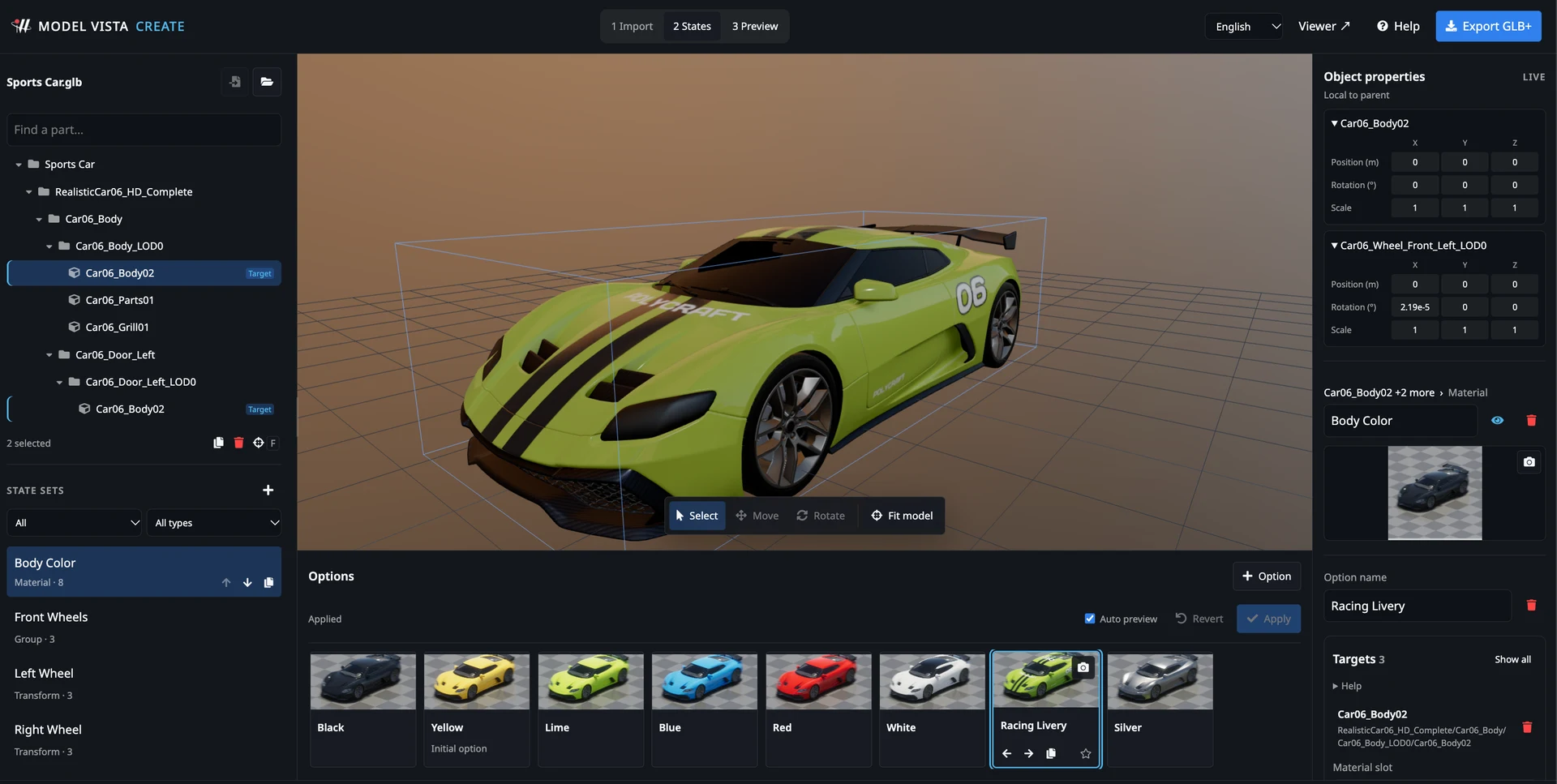
THE WORKFLOW
From model to interactive GLB+.
- 01
Start with your model.
Import a GLB or FBX file, or try the built-in sample to explore the workspace.
- 02
Create the choices.
Select parts, add States, and capture options for materials, visibility, movement, and more.
- 03
Preview. Export. Review.
Test your options, validate the export, and download a GLB+ to keep or open in Model Vista Web.
MODEL VISTA STATES
A finish. A movement. A different view.
States store the options that make a model useful for review and presentation. Build individual choices, then bring them together into prepared configurations.
How States and GLB+ work- Materials
- Give a part alternative colors and finishes.
- Visibility
- Show or hide parts to explore configurations.
- Transforms
- Save positions, rotations, and scales as options.
- Cameras
- Prepare viewpoints that guide the review.
- Animations
- Use animation clips already in your model.
- Groups
- Combine State options into a single preset.
LOCAL FILES. PORTABLE RESULTS.
Keep the model and its choices together.
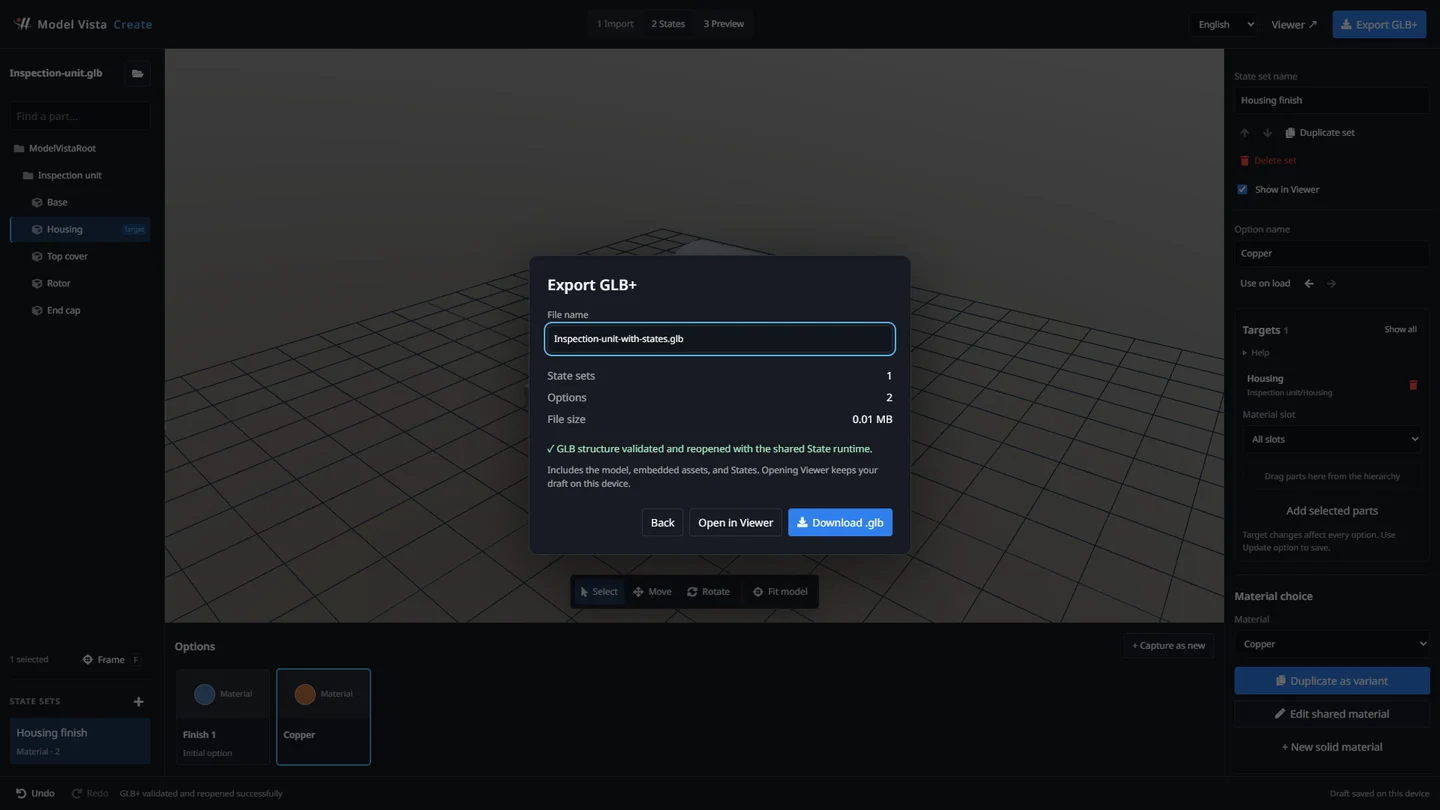
Your files are processed on your device. Preview your States, check the export validation, and download a .glb containing the model and its Model Vista configuration data.
Open the result in Model Vista Web to review and present it. Check exported States in your intended playback application before sharing.
Explore Model Vista Web